DoreScore

Your grades, made simple.

Your real grade in every class, worked out from its syllabus. Free for Vanderbilt students.

Rated 5.0 · 1.5k installsWorks with Brightspace, Gradescope and YES

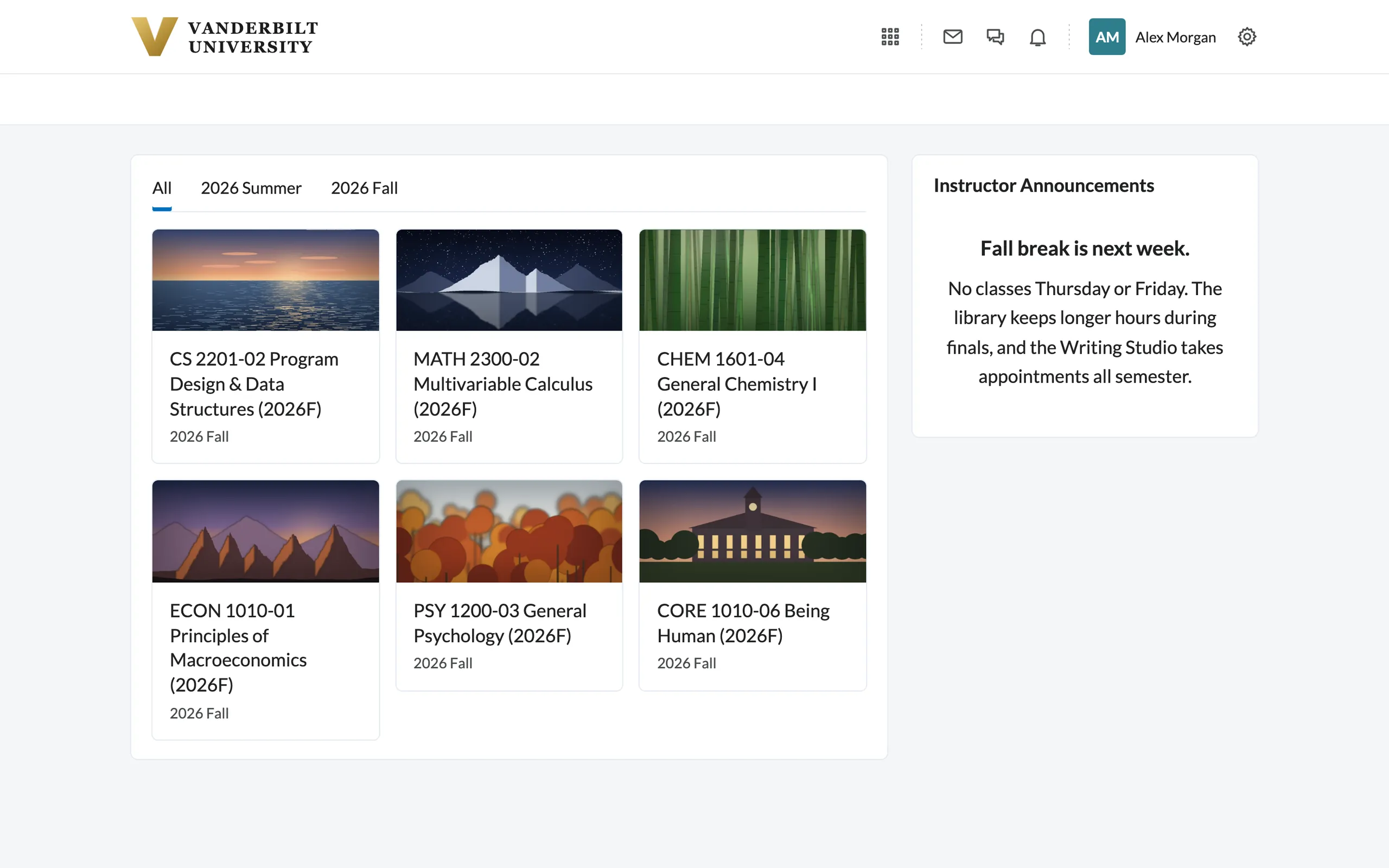
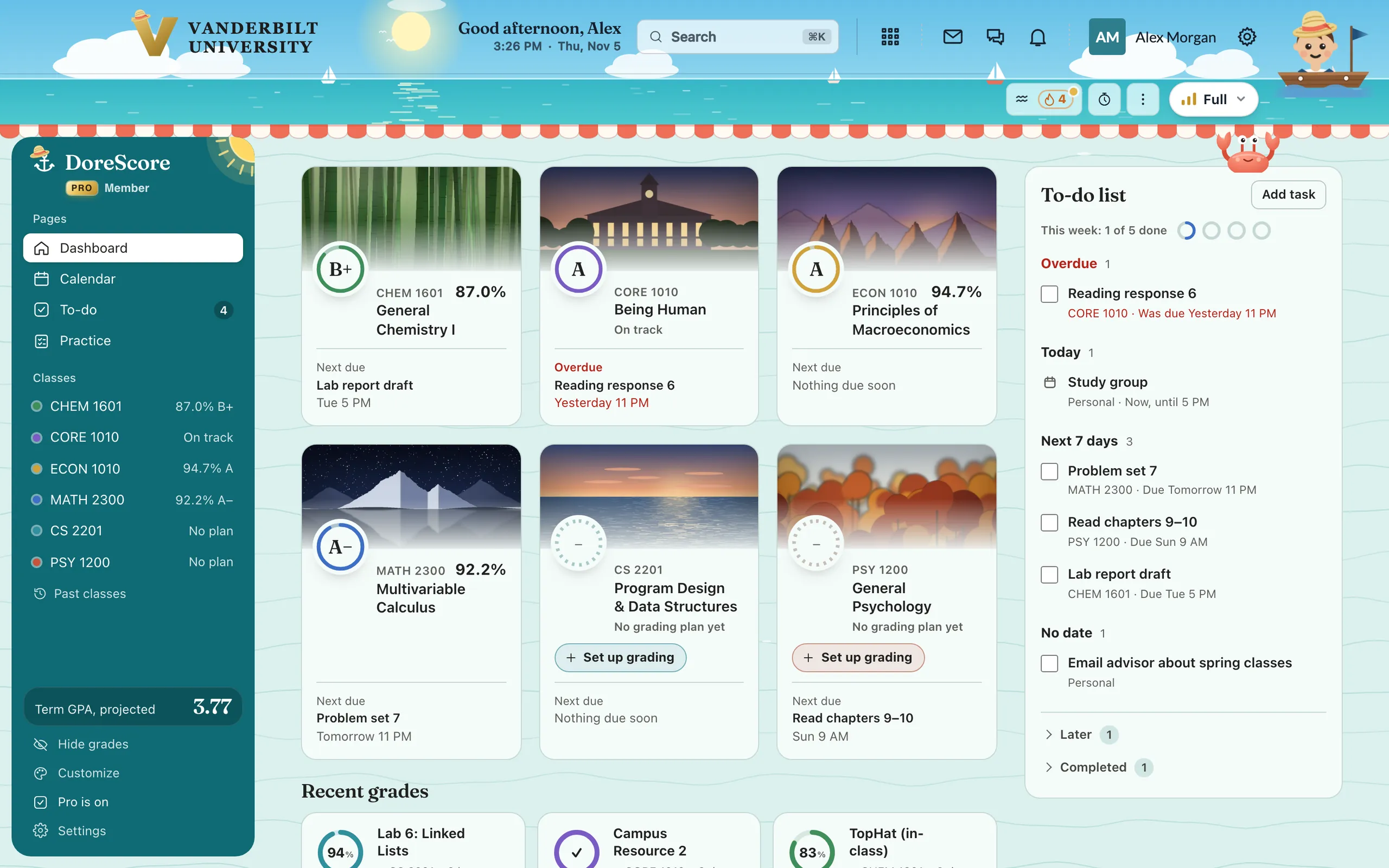
The DoreScore home, your colors, and your grades all through Brightspace.

DoreScore works out your grade from each class’s syllabus, with the weights and dropped scores, right inside Brightspace.

Scores, but no grade.

Brightspace lists every assignment’s points. It rarely tells you what they add up to.

The syllabus decides.

DoreScore finds each class’s grading rules, checked by hand in its class library or read from the syllabus. It drops what the syllabus drops.

There’s your grade.

Your real course grade, right in Brightspace, and what the rest of the class has to be for the letter you want.

Try the scores you don’t have yet

You’d finish with 87.8%B+

Sample class

Due dates and plans,
in one calendar.

See Brightspace deadlines next to your class events and your Google, Apple or Outlook calendar. Turn on reminders to get one the evening before something’s due.

The DoreScore calendar: one week with Brightspace due dates along the top, class and personal events in the grid, and a strip of to-dos to drag onto a day. Drag a to-do onto a day Due dates, from Brightspace Your own calendar
Due dates come straight from Brightspace.Your Google, Apple or Outlook calendar sits beside them.Drag a to-do onto a day to plan time for it.

ProBuilt into Brightspace

Meet Skipper,
your study chatbot.

Click him in the top-right corner and ask anything about your semester. He runs on Anthropic’s Claude and answers from your own classes, grades, due dates and syllabi. You can change how he looks, too.

1Click Skipper in the corner2Ask what to study, or get practice questions from a lecture3Make him yours: hair, hat, outfit

More tools inside Brightspace.

Class pages

See your projected grade and the average you need for the next letter grade.
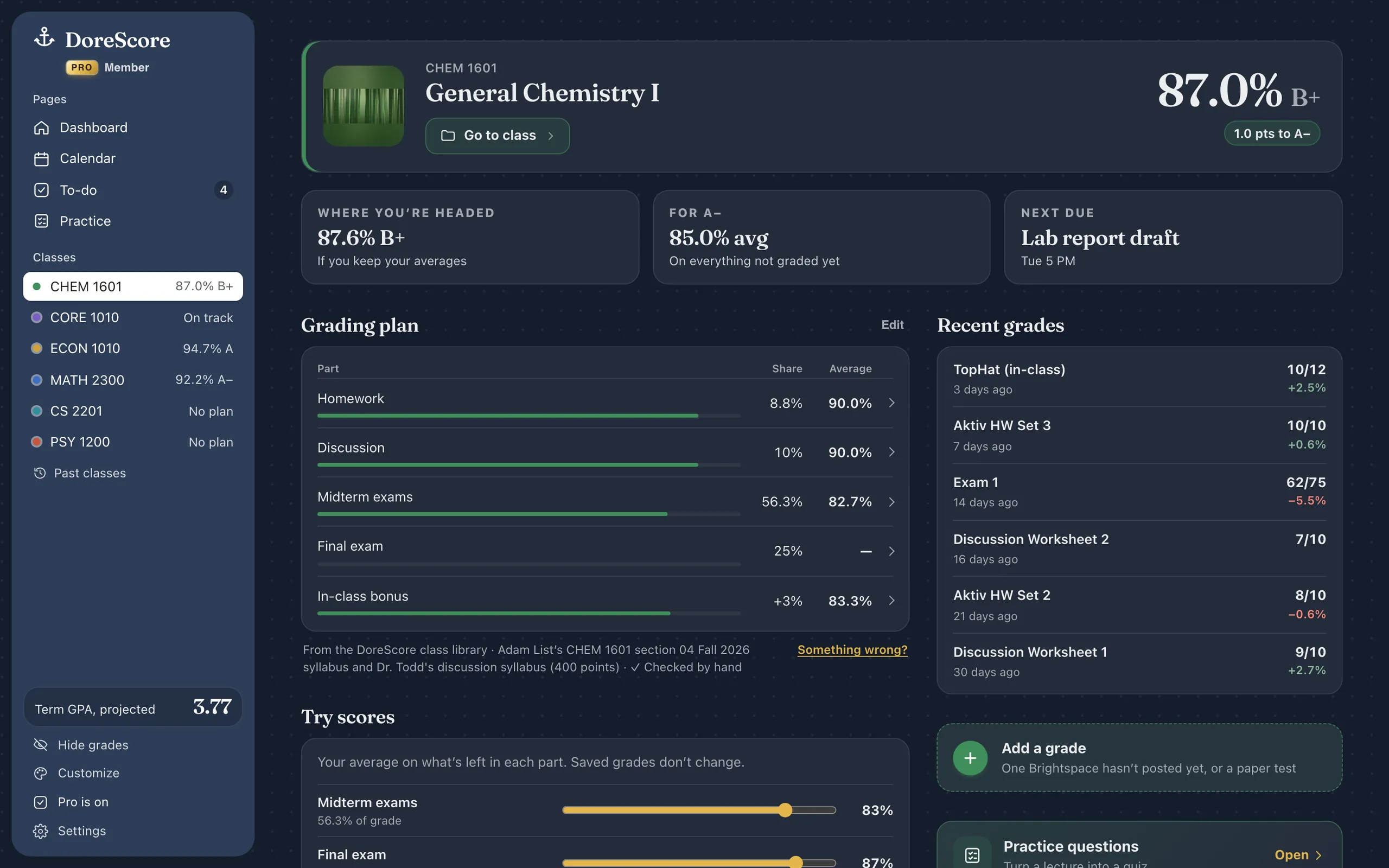
A class page: General Chemistry I at 87.0%, a B plus, heading for 87.6%, with an 85.0% average needed for an A minus.

Study timer

Choose a task and start a study session. Your timer stays at the top of Brightspace.
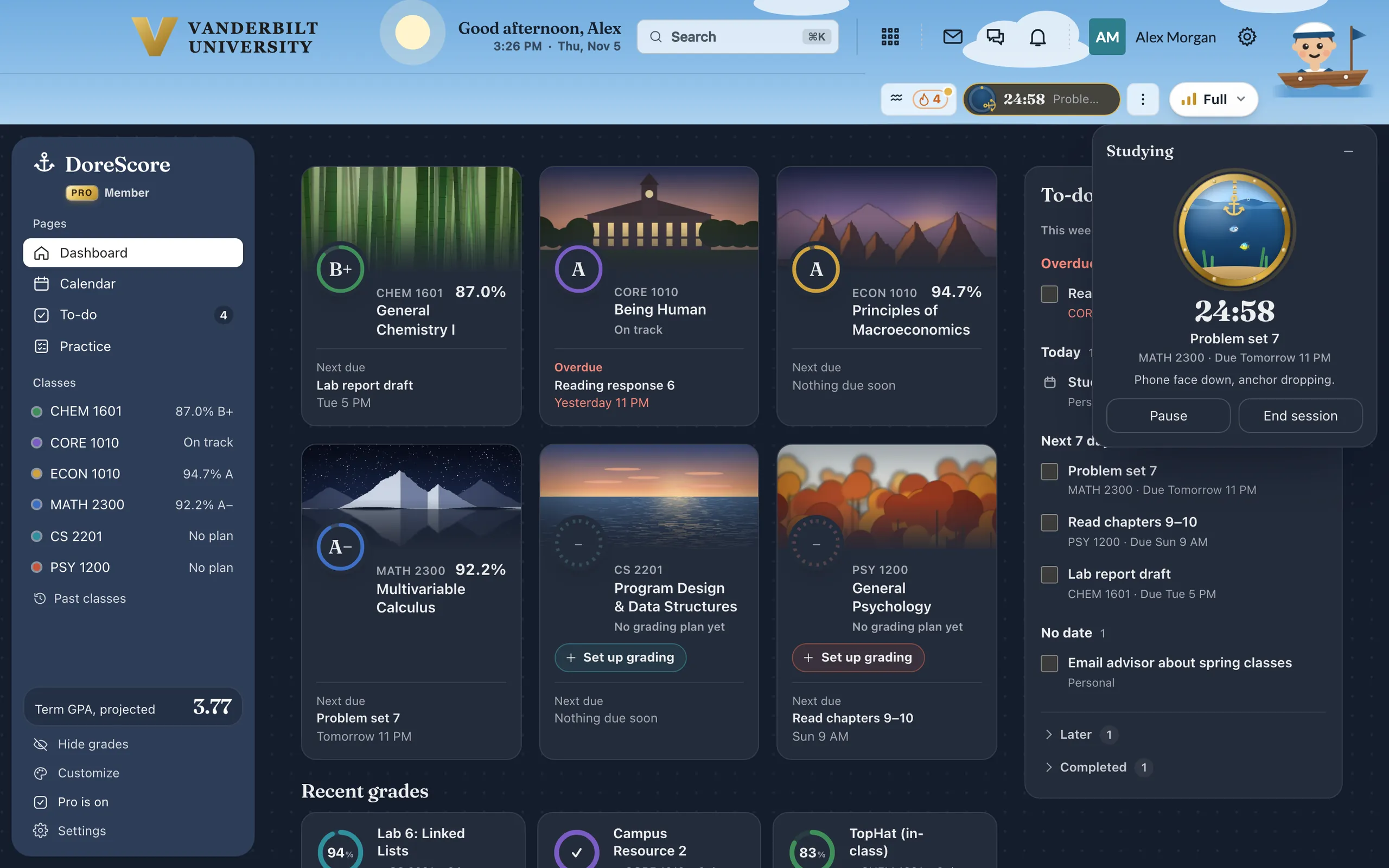
The study timer: a porthole, 24:58 left on Problem set 7, with Pause and End session.

BreathePro

A slow breath between study sessions. Follow the ring: in, hold, out, hold.
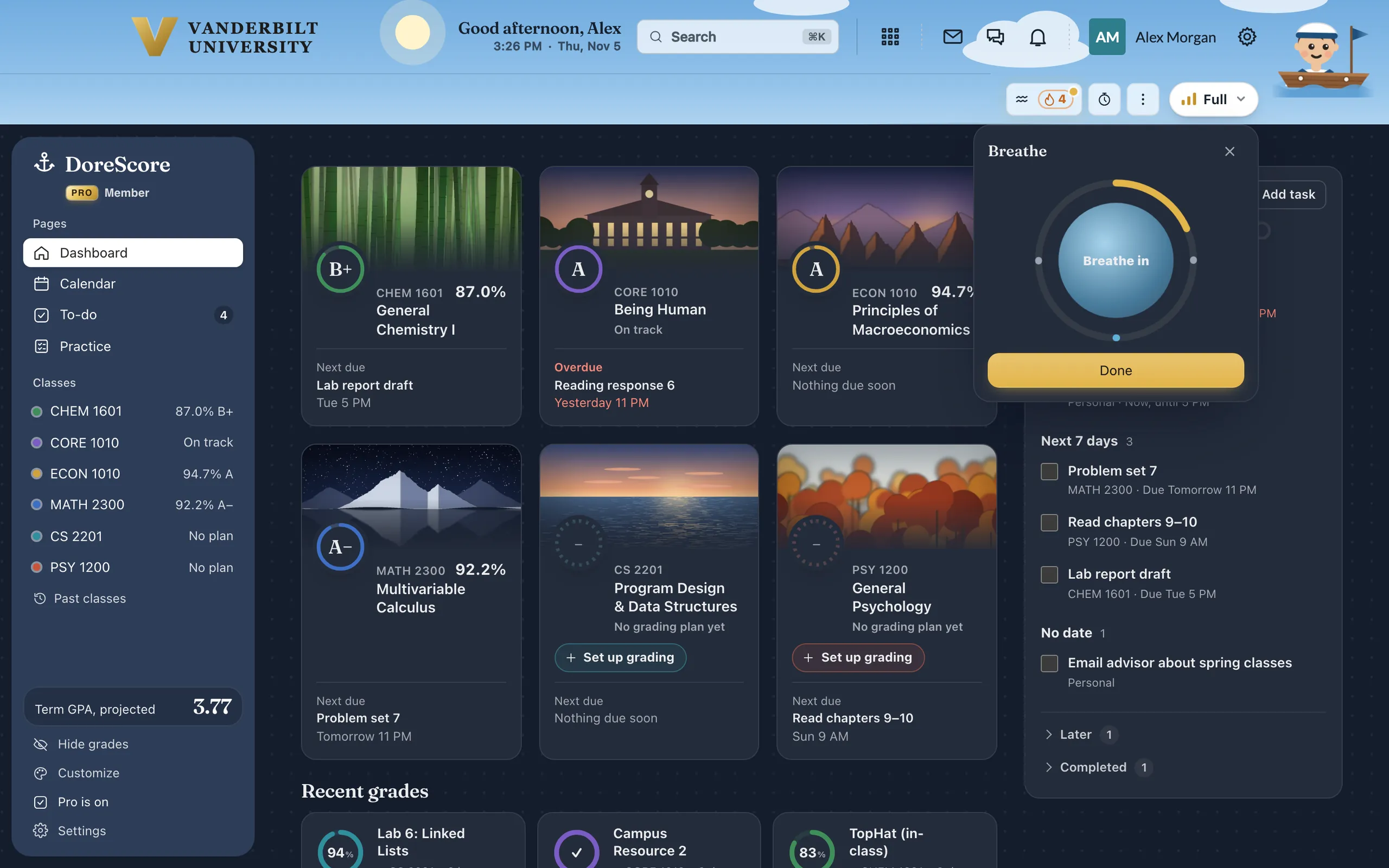
The timer’s Breathe screen: a ring filling in gold around the words Breathe in, with a Done button.

One to-do list

Everything due, from every class, with what you’ve turned in checked off. Your own tasks go on the same list.
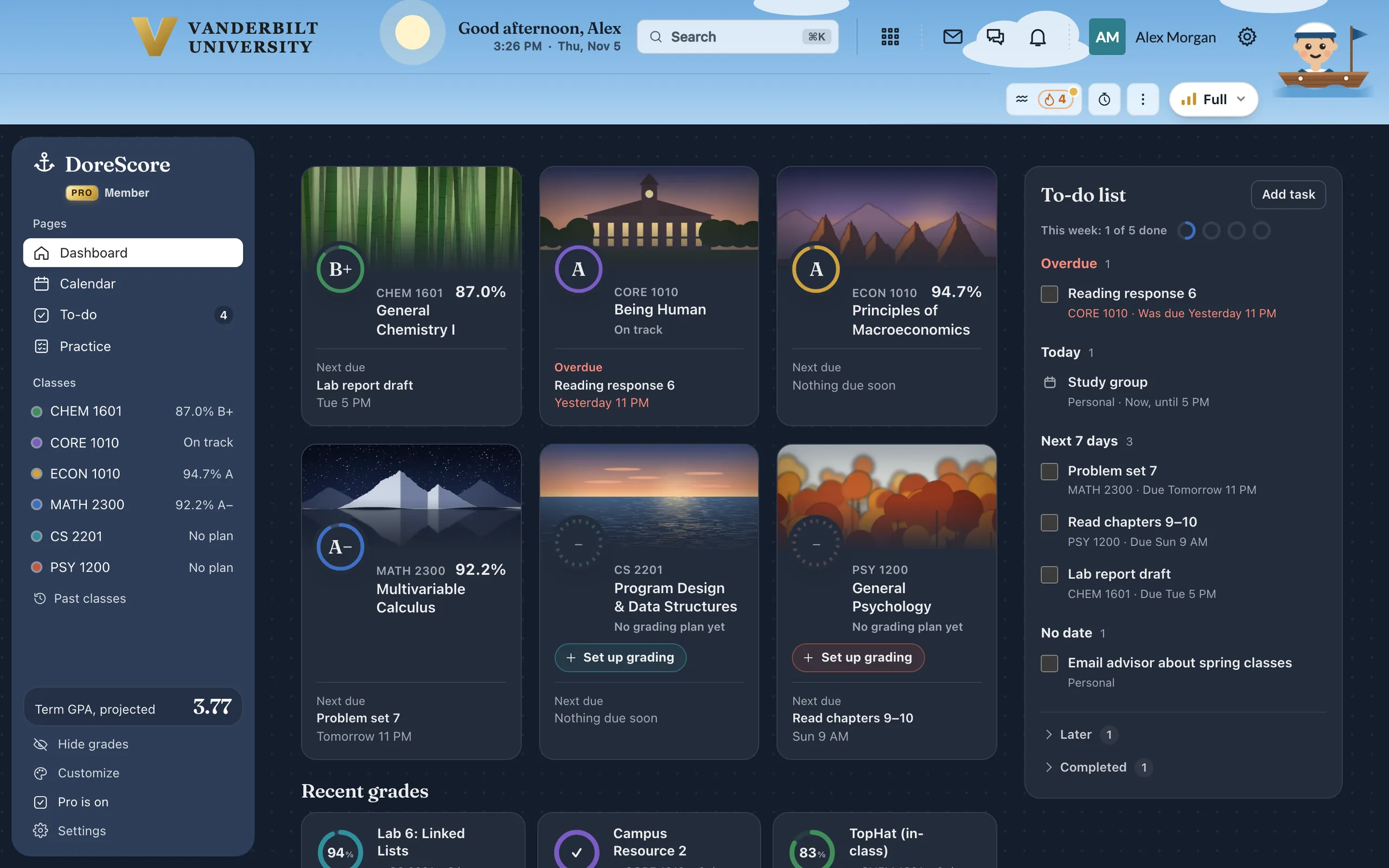
The to-do list: one overdue reading response, a study group today, three things due in the next seven days, and a personal task.

Twenty themes. Or design your own.

Pick a game, season or holiday theme, each with its own decorations. Or choose your own colors, pattern and decorations, then share your theme with a link.

HarborEveryday

Games Seasons Holidays Everyday Yours

ProFor members

A gold card for Pro members.

Every Pro member gets one inside DoreScore, with their name pressed in and the month they joined. Join before January 8 and yours is marked Early member.

  • Skipper, your study chatbot, as much as you like
  • Practice questions written from your lectures
  • Grade notices with Brightspace closed, and reminders
  • Pro themes, with a new one every Monday
See what Pro adds

$7.99 a semester or $12.99 a year, paid once. Using DoreScore before January 8? $3.99 or $6.99, for good.

Your grades stay on your computer.

AccountYou don’t need one. Install DoreScore and it works. Your grades are free, and Pro is optional.
PasswordsDoreScore never sees yours. It only reads what you can already see when you’re signed in to Brightspace.
TrackingWe don’t sell your data or use it for ads. This website uses no cookies or analytics.

A few optional features send something off your computer: a syllabus, if you have AI read it; a class file, to make practice questions; and, if you turn on Skipper’s chatbot (Pro), what he needs to answer, your grades included. How your data is handled

Questions?

Is it free?
Your grades, grading plans, due dates, to-do list and GPA are free, with no account. DoreScore Pro adds Skipper, your study chatbot, as much as you like (3 questions a week are free), practice questions from your lectures, grade notices with Brightspace closed, reminders and more, for $7.99 a semester or $12.99 a year, paid once. Passes count from January 8, 2027. Anyone using DoreScore before January 8 keeps the early price for good: $3.99 and $6.99. Not for you? A full refund within 14 days. Free and Pro, side by side
Is it an official Vanderbilt tool?
No. It’s an independent project made by a Vanderbilt student, not affiliated with Vanderbilt or D2L. It can’t change anything in your gradebook.
Is the grade exact?
It follows the grading rules in your syllabus. A curve, extra credit added later or a rule your professor hasn’t written down can change your final grade, and Brightspace is always the official record.
What if my class isn’t set up?
DoreScore reads the grading rules from the syllabus on Brightspace, on your computer or with AI, and you check them before they’re saved. You can also paste the grading section or enter it yourself.
Does it work on my phone or in Safari?
Not yet. DoreScore is an extension for Chrome, Edge, Brave or Arc on a laptop or desktop. On your phone now? The install page can send you the link for later.
What does it read?
Brightspace, plus Gradescope and your YES academic record if you connect them. Nothing else, and your official grades stay unchanged.

More in Help, or write to hello@dorescore.com.

Dozens of Vanderbilt classes are already set up, checked by hand against the syllabus.

Not on the list? DoreScore reads the syllabus for you. Browse every class

See where you stand in every class.

Free · No account · Chrome, Edge, Brave or Arc on a laptop